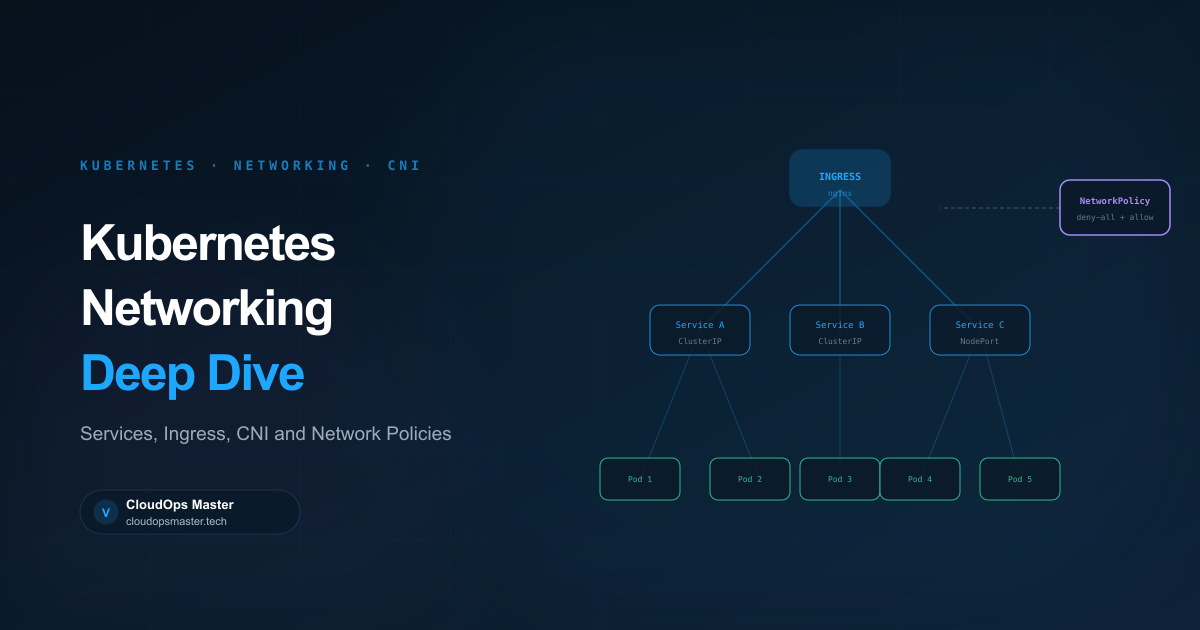
Kubernetes networking confuses many engineers because it abstracts several layers of complexity. Once you understand the mental model, it becomes straightforward. Let's break it down.
The Core Rule
Every pod gets its own IP address. Every pod can communicate with every other pod without NAT — regardless of which node they're on. This is the Kubernetes networking model.
The implementation of this model is handled by the CNI (Container Network Interface) plugin. Common choices: Cilium, Calico, Flannel, Weave. They each implement the same model differently.
Service Types
Services are stable network endpoints in front of pods. Pods are ephemeral — they come and go, their IPs change. Services give you a stable IP and DNS name.
ClusterIP (default)
Internal only. Gets a virtual IP reachable only within the cluster.
apiVersion: v1
kind: Service
metadata:
  name: backend
spec:
  selector:
    app: backend
  ports:
    - port: 80
      targetPort: 8080
  type: ClusterIP
DNS: backend.default.svc.cluster.local resolves to the ClusterIP. Traffic is load-balanced across matching pods by kube-proxy (iptables or IPVS rules).
NodePort
Exposes the service on a static port (30000–32767) on every node. Traffic to <NodeIP>:<NodePort> is forwarded to the service.
Useful for development and direct access without a cloud load balancer. Not recommended for production — it exposes ports on all nodes and bypasses cloud load balancer features.
LoadBalancer
Creates an external load balancer (AWS ALB/NLB, GCP LB, etc.) pointing to the service. The standard way to expose services externally in cloud environments.
spec:
  type: LoadBalancer
  # AWS-specific annotations
  annotations:
    service.beta.kubernetes.io/aws-load-balancer-type: "nlb"
    service.beta.kubernetes.io/aws-load-balancer-scheme: "internet-facing"
The downside: each LoadBalancer service creates a separate cloud load balancer, which gets expensive fast. Use Ingress for HTTP/HTTPS instead.
ExternalName
Maps a service to an external DNS name. Useful for referencing services outside the cluster.
Ingress
Ingress is an HTTP/HTTPS router sitting in front of multiple services. One load balancer, many services — routing by hostname or path.
apiVersion: networking.k8s.io/v1
kind: Ingress
metadata:
  name: main-ingress
  annotations:
    nginx.ingress.kubernetes.io/rewrite-target: /
spec:
  ingressClassName: nginx
  tls:
    - hosts:
        - cloudopsmaster.win
      secretName: tls-secret
  rules:
    - host: cloudopsmaster.win
      http:
        paths:
          - path: /api
            pathType: Prefix
            backend:
              service:
                name: api-service
                port:
                  number: 80
          - path: /
            pathType: Prefix
            backend:
              service:
                name: frontend-service
                port:
                  number: 80
The Ingress controller (nginx, Traefik, Kong, AWS ALB controller) watches Ingress resources and configures the actual load balancer. The Ingress resource itself does nothing without a controller.
TLS with cert-manager
Install cert-manager and use Let's Encrypt for automatic certificate management:
apiVersion: cert-manager.io/v1
kind: ClusterIssuer
metadata:
  name: letsencrypt-prod
spec:
  acme:
    server: https://acme-v02.api.letsencrypt.org/directory
    email: [email protected]
    privateKeySecretRef:
      name: letsencrypt-prod
    solvers:
      - http01:
          ingress:
            class: nginx
Annotate your Ingress and cert-manager handles renewal automatically.
Network Policies
By default, all pods can talk to all other pods. This is a significant security risk. Network Policies let you define what traffic is allowed.
Default deny all ingress:
apiVersion: networking.k8s.io/v1
kind: NetworkPolicy
metadata:
  name: default-deny-ingress
  namespace: production
spec:
  podSelector: {}  # Applies to all pods in namespace
  policyTypes:
    - Ingress
Allow specific traffic only:
apiVersion: networking.k8s.io/v1
kind: NetworkPolicy
metadata:
  name: allow-frontend-to-api
  namespace: production
spec:
  podSelector:
    matchLabels:
      app: api
  policyTypes:
    - Ingress
  ingress:
    - from:
        - podSelector:
            matchLabels:
              app: frontend
      ports:
        - protocol: TCP
          port: 8080
Important: Network Policies require your CNI plugin to support them. Flannel does NOT. Cilium and Calico do.
DNS in Kubernetes
CoreDNS handles DNS resolution inside the cluster. Every service gets a DNS name:
<service>.<namespace>.svc.cluster.local
Pods can also be reached by:
<pod-ip-with-dashes>.<namespace>.pod.cluster.local
CoreDNS configuration is a ConfigMap — you can customize it to forward specific domains to external resolvers, which is useful when your cluster needs to resolve internal company domains.
Common Networking Problems
Pod can't reach external internet — check NAT gateway configuration, node security groups, and whether the subnet has a route to the internet.
Service discovery not working — verify CoreDNS pods are running and that the service namespace matches. Try kubectl exec -it <pod> -- nslookup <service>.
Intermittent connection drops — often caused by conntrack table overflow on nodes handling high traffic. Increase net.netfilter.nf_conntrack_max.
High latency between pods on different nodes — check CNI plugin health and MTU settings. Misconfigured MTU causes packet fragmentation.
Understanding the networking model makes troubleshooting much faster. When something doesn't work, you can reason through the path a packet takes and find where it breaks.