
An AI coding agent can inspect a repository, edit files, run commands and work through failures. A reusable skill gives it a defined workflow for a recurring task. This is useful when a migration requires more than replacing a dependency name: the agent needs to understand prerequisites, preserve application behavior and verify the result.
Installing a skill does not guarantee a successful migration. The practical benefit is making the expected procedure explicit and repeatable. The quality of that procedure and the checks around it determine whether the changes are useful.
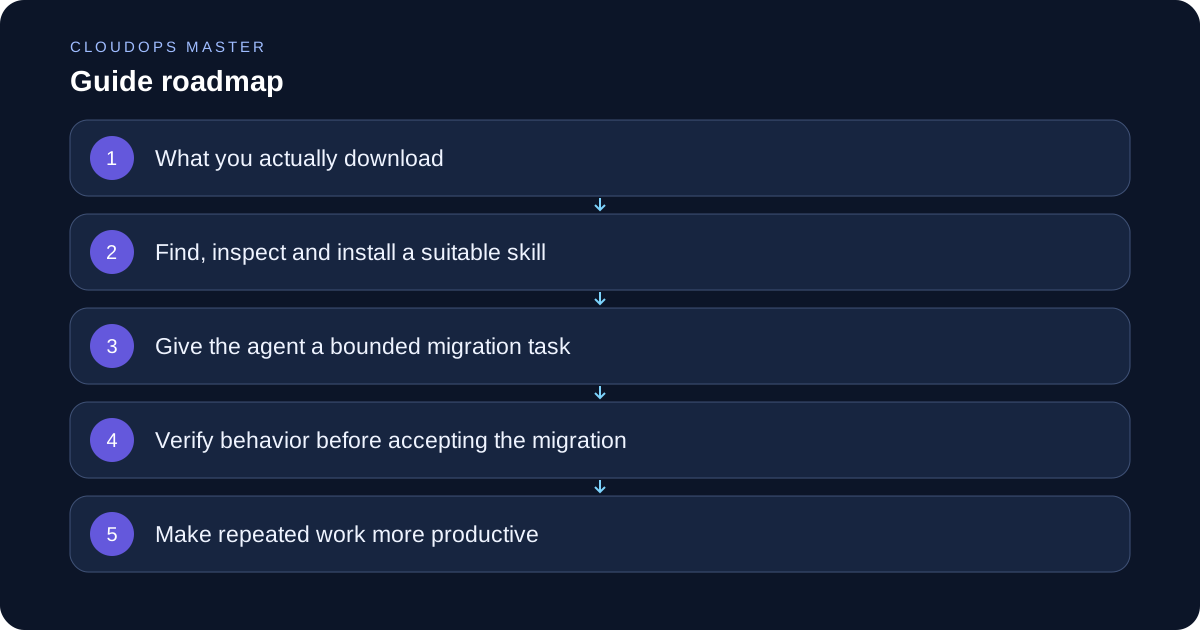
What you actually download
A skill typically contains a SKILL.md file with a name, a description and instructions. It can also include scripts, reference documents and templates. In Codex, the agent initially sees skill names and descriptions and loads the full instructions when it selects a relevant skill. See the official skills documentation.
A skill describes how to do work. Tools provide capabilities such as editing files or querying a service. Access to those capabilities depends on the host, available integrations and permissions. A migration skill cannot create cloud credentials or bypass approval requirements simply by being installed.
Prefer a focused skill that explains its supported inputs and expected outputs. A workflow for updating a library in a particular framework is easier to assess than a package claiming to migrate any application automatically.
Find, inspect and install a suitable skill
Start with the host's supported catalog or a maintained repository whose ownership you can verify. Check whether the skill actually covers your framework, source version and target. Review SKILL.md, bundled scripts and dependencies before running them. Look for unexpected uploads, broad filesystem access, destructive commands or assumptions about production credentials.
Codex provides a built-in installer for curated skills and skills from other repositories. You can ask it to install a specific skill from a trusted repository using $skill-installer. Supply the exact repository and skill path; do not assume that a named migration skill exists in every catalog. The official installation guidance describes this workflow.
For repository-specific instructions, Codex supports skills under .agents/skills. Record the source revision you reviewed so updates can be assessed deliberately. Other agent hosts may use different discovery paths and invocation methods; follow their documentation instead of copying a Codex path blindly.
Give the agent a bounded migration task
Consider moving a small application's deployment from a VM to containers. First record how the application starts, its network ports, persistent data, configuration and health checks. Identify which behavior must remain stable, then create a branch or isolated checkout.
A useful task looks like this:
Use the reviewed container migration skill to inspect this repository and prepare container packaging. Preserve the existing startup behavior and health endpoint. Add a non-root runtime configuration, document environment variables and run the existing tests. Show the resulting diff, test output and rollback steps. Stop before deploying or moving production data.
The agent can discover project details, prepare a Dockerfile and local configuration, run checks and fix failures within the authorized scope. Missing credentials, undocumented data dependencies or an incompatible runtime can still block progress. Ask for a concrete report of those blockers rather than accepting invented assumptions.
Verify behavior before accepting the migration
Compare results with the baseline. Existing application tests should pass, but also test what packaging changes: build the image, start it with documented configuration, call the health endpoint and confirm graceful shutdown. Check that secrets stay outside image layers and that persistent files survive the intended restart workflow.
For this example, acceptance criteria might be: the image builds from a clean checkout, the process runs without root, the health endpoint returns its documented result and a local restart preserves test data. These are requirements to verify, not claims about outcomes already observed.
Keep production changes as a separate stage with an owner and a recovery path. Container packaging alone does not migrate a database, establish backups or prove that a traffic cutover is safe.
Make repeated work more productive
Keep stable instructions in the skill and project-specific details in the task. Use small examples and executable checks so the agent spends less effort reconstructing the procedure. Load references when needed rather than stuffing every migration document into every prompt.
Track elapsed time, model requests, review effort and escaped defects across comparable tasks. Reuse reviewed scripts for mechanical transformations and reserve model reasoning for ambiguous choices. Skills can reduce repeated explanation, but their actual speed and quality benefits should be measured on your repositories.
Before accepting a migration, check:
- The skill source and scripts were reviewed.
- The source, target and compatibility limits were stated.
- Work happened in an isolated branch with a readable diff.
- Application and migration-specific checks passed.
- Secrets, persistent data and rollback were addressed.
- The report separates completed work from remaining deployment steps.
A well-designed skill turns a broad request into a repeatable workflow. The agent performs the authorized steps, verifies what it can and produces a result that another engineer can review.